
Home › Forums › General Discussion › EverQuest Legends UI Updates
- This topic has 24 replies, 3 voices, and was last updated 2 days, 2 hours ago by
Drakah.
-
AuthorPosts
-
July 8, 2026 at 7:26 pm #264432
Drakah
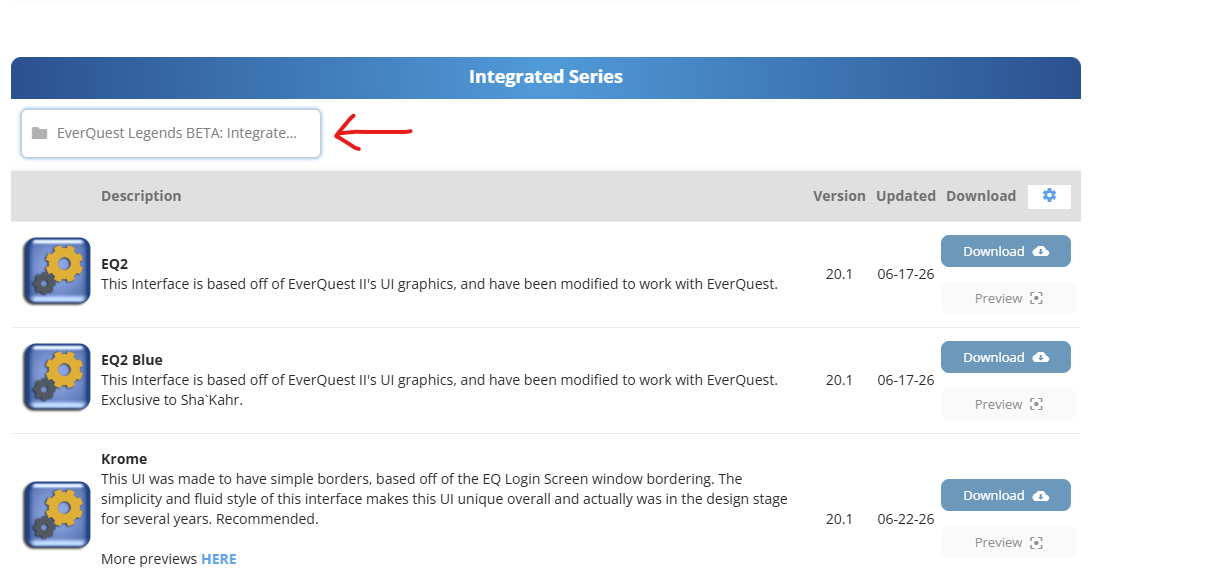
KeymasterI just posted a Krome UI Beta file for EverQuest Legends you guys can test out, it is not fully completed of course. There is a button under the Integrated section for “EverQuest Legends BETA: Integrated Files” to click that will get you into that category to download the file.
-
This topic was modified 3 months, 2 weeks ago by
Attachments:
July 14, 2026 at 6:51 pm #264436KeymasterDelete gemicons04.tga thru gemicons28.tga. Those files are not needed as 1 of them were updated and does not need to be in the UI folder. Only the first 3 files needed to be there.
-
This reply was modified 3 months, 1 week ago by
July 28, 2026 at 9:49 pm #264439Cambin
ParticipantBig fan of the UI already, so thank you.
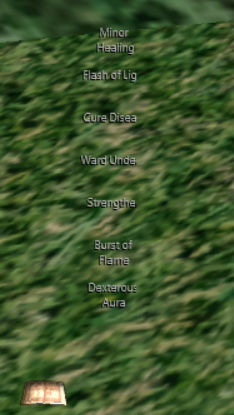
The only issue I’ve encountered is that the spell gems don’t show up. I just see text and cannot click to cast or add/remove a spell?
Attachments:
July 28, 2026 at 10:23 pm #264441KeymasterYep, been battling it all night so I remade it from scratch. Only difference is you loose the spell gem spell names on it, so use “alt”. They buggered the screen code so it goes blank when I use it sadly. Anyway, this version automatically expands when you buy more spell slots, so thats a good thing. Then gem icons are more squarish though. Also, the whole UI is now based off of the Modern UI instead of Default, which is why all of the files are in there now.
July 31, 2026 at 3:34 pm #264443KeymasterI uploaded another version that now has the updated version of the CastSpellWnd that has the spell names. If the window comes up blank, it is because of Mnemonic Retention AA. Just add a point or 2 into it and the window will load up properly. If you do not have the AA yet, you can rightclick on the window, choose Display Types, and choose an alternate version in the meantime. Or, you can extract the ZIP file I have in the UI folder, that is the large spell icon version that does not have the spell names on it that is Mnemonic Retention friendly.
July 31, 2026 at 9:44 pm #264444KeymasterAnother update to fix the group window resizing itself too early.
August 9, 2026 at 1:02 pm #264447KeymasterKrome UI for EQL is now version 20.1.8 that now includes a “big” bank window! HUZZAH! 🙂 It is technically out of beta now too.
August 10, 2026 at 7:14 pm #264458KeymasterA section has been made for EQ Legends on the downloads screen instead of a sub-button.
August 10, 2026 at 8:00 pm #264460KeymasterUpdated to v20.2 with updated inventory windows, added tga for buttons and item window.
August 18, 2026 at 5:22 pm #264476KeymasterUpdated to v20.3 with several files updated including the spellbook that has the option to toggle the actions window spellbook usage instead. To revert, go to Options to turn it off. The original spellbook (Large Spell Icons, Classic Layout) has also been placed back in as another option under “Display Types”, so now there are 5 to choose from on the rightclick menu ingame.
August 22, 2026 at 10:09 am #264477KeymasterUpdated to v20.4. The group window now has the missing green squares from player 6 thru 11, as well as adding in the default modern group window option. Also updated the target window allowing a little more room for the multiclass information on the left and stopping it from moving up/down when resizing the top of the buffs. Also added the default modern target window as an option as well.
August 22, 2026 at 5:08 pm #264480KeymasterUpdated to v20.5 – there was an issue with gauges not correct from player 6 and up.
August 23, 2026 at 12:07 am #264481KeymasterUpdated to v20.6 – Added an updated Group Window version called “Drakah Integrated 6×6 Wide Layout”, that will give you Player 0 (yourself) to Player 5, and 6 thru 11 next to it, with the stats to the right of that. This way. The original Integrated layout increases the window upwards which may be odd for some folks.
This also adds a casting gauge on the target window as well.
-
This reply was modified 2 months ago by
August 24, 2026 at 7:55 pm #264483KeymasterUpdated to v20.7 since they are implementing 50 slot bags on Tuesday 8/25, so the window is now wider, not taller (25×25 bags). If not, you have the compatibility to support them. This now matches pretty similar to the BigBankWindow I made for EverQuest Live.
I also updated the Target Window for the Casting bar. The tiny half bar was not big enough to see the words correctly on top of the 100%, so instead, it is now a full casting bar with light opacity background for the casting. This should work better for squinting eyes making out the words.
August 25, 2026 at 11:21 am #264484KeymasterUpdated to v20.8 with the updated files for the 8/25 patch day.
-
This topic was modified 3 months, 2 weeks ago by
-
AuthorPosts
- You must be logged in to reply to this topic.
Recent Comments